
Transforming ERP with RPA: How Malaysian SMEs Can Benefit from RPA in ERP Systems
Your ERP holds the backbone of your business: financials, inventory, procurement and HR. Yet your team still spends hours keying in data, reconciling records and chasing approvals. Robotic Process Automation (RPA) turns your ERP from a passive record-keeper into an engine that keeps working after everyone has gone home.
Table of Contents

What Is the Role of RPA in an ERP System?
RPA uses software “bots” to copy what a person does on screen: clicking, typing, copying data between systems and triggering workflows. In an ERP system, these bots handle the repetitive, rule-based work that sits between your processes and your data. If you’re new to robotic process automation, you could start with our complete guide on RPA to gain a better understanding of how it works, its limitations and how it fits into ERP.
💡 What SMEs Should Know
Because bots work through the same screens your staff already use, you can add automation without replacing your existing system. Learn more about how our robotic process automation system works in practice.
Think of the supplier invoices typed in by hand, the stock counts updated at the end of the day and the payroll adjustments keyed in monthly. The steps involved in these processes are commonly repetitive, but they also carry the potential for human error, which could become a bottleneck. With RPA integrated into ERP, these processes could run more smoothly and reduce the risk of errors, allowing for more efficient workload distribution among employees.
Benefits of RPA for Modules in ERP
Each module inside an ERP system has its own repetitive pain points, so the payoff differs by department. Here is where bots earn their keep across the modules a typical SME runs, including those in SMURPS:
- RPA for Accounting: Bots extract invoice data, match it to purchase orders, flag discrepancies and post entries. This helps with LHDN e-Invoicing, where data submitted to MyInvois must be accurate and on time.
- RPA for Purchasing: Approval chains run end to end, with automatic escalation when someone sits on a request.
- RPA for Inventory: Stock levels sync across warehouses, and reorder alerts fire when thresholds are hit.
- RPA for Sales: Orders from emails or portals are keyed in, confirmed and passed to fulfilment without retyping.
- RPA for Reporting: Sales reports and management summaries are generated and sent on schedule.
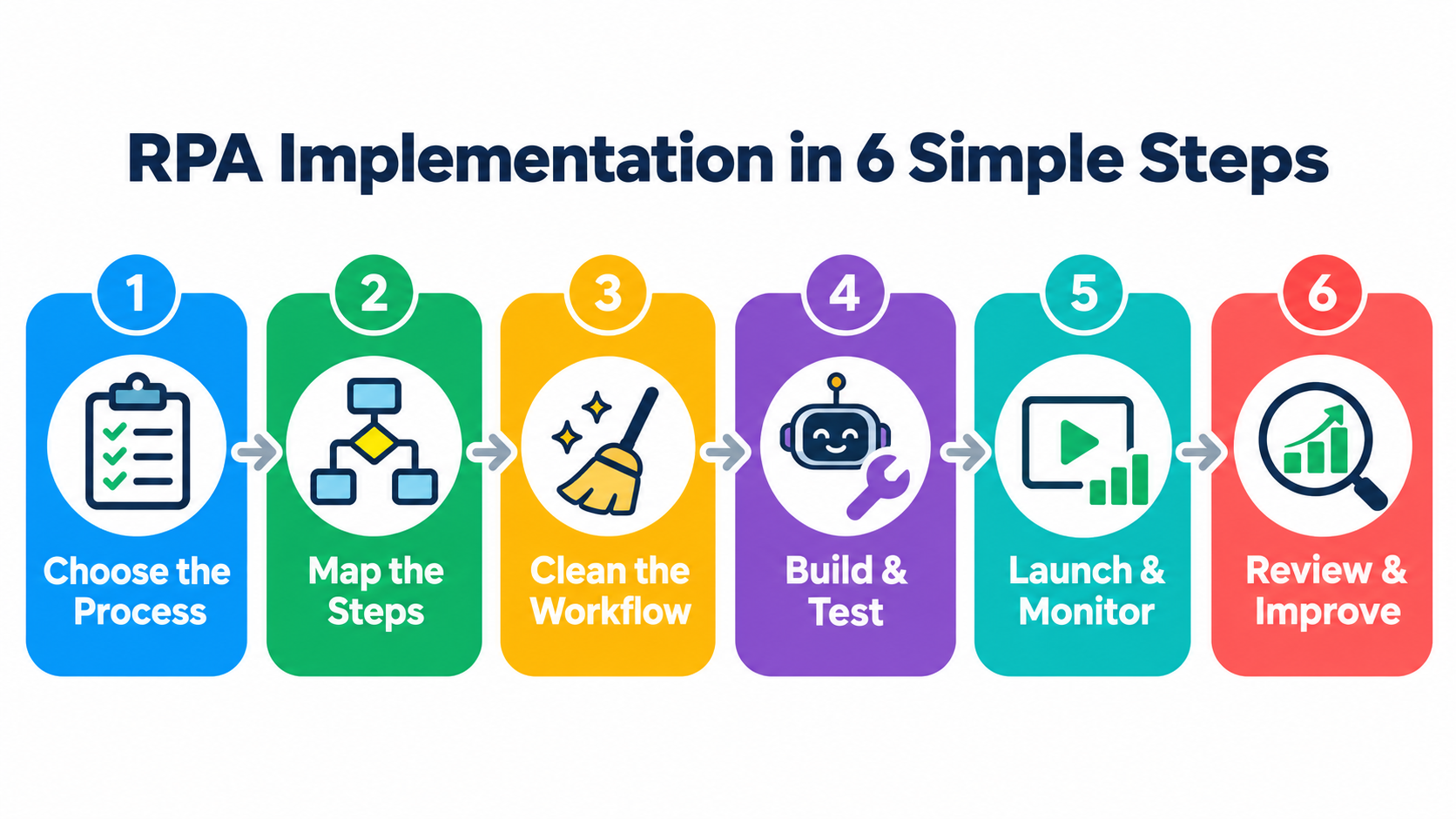
How to Implement RPA in ERP in 6 Simple Steps
Step 1: Pick the right process by choosing high-volume, rule-based tasks with clear inputs and outputs. Invoice entry and stock updates are common starting points.
Step 2: Map it as it really runs by documenting every step, exception and approval, including the workarounds.
Step 3: Clean up the workflow by fixing the process and the master data before automating the steps, to avoid including any unnecessary steps in the process.
Step 4: Build and test the bot with real cases in a sandbox.
Step 5: Run one process live with monitoring before deploying it for wider usage.
Step 6: Monitor and improve by tracking errors and time saved. Always review the bots when there are changes in the ERP system.
💡 Worth Knowing: Is RPA Frontend or Backend?
RPA primarily works through the frontend, mimicking human actions such as clicking buttons and entering data. It can also connect to backend systems through APIs to automate tasks more efficiently.
As a rule of thumb, use screen-level automation when APIs are unavailable. When APIs are available, they can provide a faster and more reliable way to automate tasks.
Common Challenges of Integrating RPA with ERP Systems
While RPA can improve efficiency and reduce manual work, integrating it with ERP systems comes with challenges that businesses should prepare for:
- Fragile bots: UI-based bots may stop working when screens change after an ERP update. Regularly test and update bots to ensure they continue functioning correctly.
- Poor processes: Unclear or inconsistent workflows can lead to unreliable automation. Standardise your processes before implementing RPA.
- Security and access: Bots require system credentials to perform tasks. Ensure access permissions are properly controlled and activities are logged.
- Lack of ownership: Without regular maintenance, bots may become outdated or stop functioning. Assign someone to monitor their performance and resolve issues.
- Unrealistic expectations: RPA works best with repetitive, rule-based tasks rather than those requiring human judgement. Identify suitable processes before implementing automation.
Conclusion
RPA is not just for large corporations. Malaysian SMEs can embed robotic process automation in their ERP to cut errors, speed up cycle times and stay on top of e-Invoicing and SST requirements. SMURPS builds overall automation into the ERP layer and adds Autonobots for tasks that cross systems, so ERP, analytics, AI and mobile work as one platform.
Frequently Asked Questions
Which ERP processes should I automate first?
Start with high-volume, rule-based tasks like invoice posting, purchase approvals, stock updates and scheduled reports. These show results quickly and carry low risk.
How long does it take to implement RPA in an ERP?
A simple, well-defined process can go live in a few weeks, while complex ones take longer. Process mapping and testing usually take more time than building the bot.
Is AI Replacing RPA?
No, AI and RPA serve different purposes. RPA automates repetitive, rule-based tasks, while AI can process more complex information, such as scanned invoices and emails. When combined, AI can interpret information, while RPA uses that information to complete tasks within an ERP system.
Discover how SMURPS Autonobots combines RPA with AI to help businesses automate more complex workflows.